
# Account Plans & Payments
There are several different plans for Gridfox Accounts so that you can pick a level that suits your business size and requirements. Details can be found on the pricing page.
# Upgrading your Account
To view or upgrade your current plan, navigate to the account management section by clicking the Account Menu in the top right hand corner.

Select Settings.

In the left hand side bar, all the accounts that you are an account admin for will be listed.
TIP
Plan upgrades and downgrades can only be carried out by account owners.
Select the account that you would like to upgrade. The banner at the top of the page will display the current plan for your account. Click Upgrade Plan to start the upgrade process.

You will be able to pick which of the account plans you would like to upgrade to.
If you upgrade from a free plan to a paid plan, you will be asked to enter card details to process the upgrade. Payment will be taken for the upcoming month and then the subscription cost will be billed monthly on this date.
If you upgrade from an existing paid plan, payment for the new plan will be taken next payment date for your existing plan.
TIP
Account plan upgrades take effect immediately. There may be a small delay on access to the new features and functionality for yourself and your project users.
The subscription cost for each of the plans will be billed monthly on or around the date you signed up for your account. You will be charged based on the plan that you are currently on and how many users are in your account at the point of billing. You can see the full list of users in your account in the account management section.
# Updating Payment Details
If you need to change the payment card for your account, in the account plan banner you can click Update Card Details.
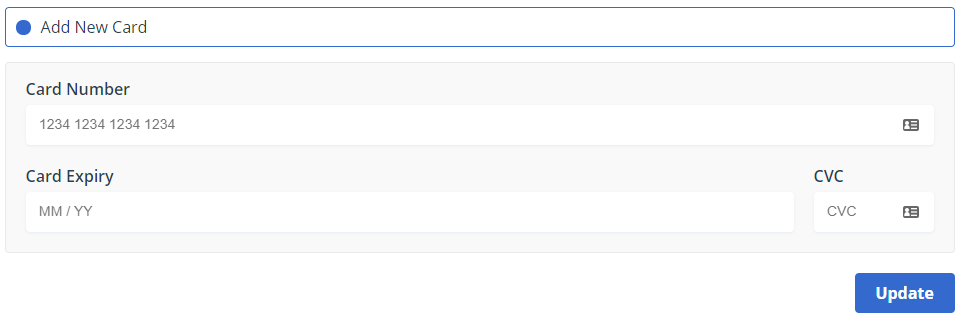
Select to add a new card, enter the details then click Update.
# Downgrading your Account
If you would like to downgrade your account, you will need to contact us. To do this, when you are viewing the list of account plans after you click Upgrade Plan select the plan you would like to downgrade to.
# Cancelling your Account
To cancel your account, you will need to contact us. To do this, when you are viewing your account in the account management page scroll to the bottom to the Request Account Cancellation section.